

10 Best Tailwind CSS Alternatives for Modern Web Development
Since its launch in 2017, Tailwind CSS has revolutionized how developers approach styling in web development. Created by Adam Wathan and his team, this utility-first framework has sparked both enthusiasm and debate within the developer community. While Tailwind offers unique advantages, many developers are exploring alternatives that better suit their project requirements, team preferences, or development philosophies.
In this comprehensive guide, we’ll explore the top alternatives to Tailwind CSS, examining what makes each framework special and helping you choose the right tool for your next project.
Understanding Tailwind CSS and Its Approach
Before diving into alternatives, it’s worth understanding what sets Tailwind apart. Unlike traditional CSS frameworks that provide pre-built components, Tailwind CSS follows a utility-first methodology. This means instead of using semantic class names like .button or .navbar, developers compose designs using small, single-purpose utility classes like .bg-blue-500, .text-center, and .p-4.
While this approach offers tremendous flexibility and prevents CSS bloat, it’s not suitable for every project or team. Some developers prefer component-based frameworks, while others need more opinionated design systems. Let’s explore the best alternatives available today.
1. Bootstrap – The Time-Tested Champion
Bootstrap remains the most widely adopted CSS framework globally, and for good reason. Originally developed by Twitter, Bootstrap provides a comprehensive component library with pre-styled elements like buttons, navigation bars, modals, and forms.
What makes Bootstrap particularly appealing is its extensive documentation, massive community support, and proven track record in production environments. Unlike Tailwind’s utility-first approach, Bootstrap offers ready-to-use components that can significantly speed up development for teams working on traditional web applications.
Bootstrap’s responsive grid system is mature and well-tested, making it an excellent choice for developers who need reliable, consistent results across different devices and browsers. The framework also includes JavaScript components, reducing the need for additional libraries.
2. Bulma – Modern CSS with Flexbox Foundation
Bulma represents a modern take on CSS frameworks, built entirely on Flexbox architecture. This framework strikes an interesting balance between Tailwind’s utility classes and Bootstrap’s component-based approach, offering both flexibility and convenience.
One of Bulma’s standout features is its clean, semantic class naming convention. Classes like .is-primary, .is-large, and .has-text-centered are intuitive and easy to remember, making the framework accessible to developers of all skill levels.
Bulma is CSS-only, meaning it doesn’t include JavaScript components. This can be an advantage for teams using modern JavaScript frameworks like React, Vue, or Angular, as it eliminates potential conflicts and allows for better integration with component-based architectures.
3. Foundation – Enterprise-Grade Flexibility
Foundation by Zurb has earned its reputation as a professional-grade front-end framework, particularly popular in enterprise environments. It offers more semantic class names compared to Tailwind’s utility approach, making code more readable and maintainable for larger teams.
Foundation’s strength lies in its flexibility and customization options. The framework provides both CSS and Sass versions, allowing developers to modify variables, mixins, and functions to create truly custom designs. This level of customization makes Foundation particularly suitable for projects requiring unique branding or complex design systems.
The framework includes advanced features like responsive tables, off-canvas navigation, and accessibility-focused components out of the box. Foundation’s email framework is also a standout feature, making it easier to create responsive email templates.
4. UIkit – Lightweight and Modular
UIkit positions itself as a lightweight yet powerful alternative for developers who want a comprehensive toolkit without the overhead. This modular framework allows you to include only the components you need, resulting in smaller bundle sizes and better performance.
What sets UIkit apart is its focus on creating modern, interactive web interfaces. The framework includes advanced components like parallax scrolling, sticky navigation, and smooth animations built-in. These features would require additional libraries or custom code when using utility-first frameworks like Tailwind.
UIkit’s documentation is particularly well-organized, with live examples and customization options clearly presented. The framework’s JavaScript components are well-integrated and provide smooth interactions that enhance user experience without requiring additional development effort.
5. Chakra UI – React-First Design System
Chakra UI represents a new generation of CSS frameworks designed specifically for React applications. Unlike traditional CSS frameworks, Chakra UI provides React components with built-in styling, theming, and accessibility features.
The framework’s approach to developer experience is exceptional. Components are designed to be composable and customizable through props, eliminating the need to write custom CSS in many cases. This approach results in more maintainable code and faster development cycles for React projects.
Chakra UI’s theming system is particularly powerful, allowing developers to create consistent design systems with support for dark mode, custom color schemes, and responsive design patterns. The framework’s accessibility features are built-in, ensuring that applications meet modern web standards without additional effort.
6. Windi CSS – Tailwind’s Faster Cousin
Windi CSS emerges as a compelling alternative for developers who love Tailwind’s utility-first approach but want better performance. This framework maintains API compatibility with Tailwind while offering significantly faster compilation times and on-demand CSS generation.
The key advantage of Windi CSS is its intelligent compilation process. Instead of generating all possible utility classes upfront, Windi analyzes your code and generates only the CSS classes you actually use. This results in smaller bundle sizes and faster build times, particularly beneficial for large projects.
Windi CSS also includes additional features not found in Tailwind, such as attributify mode, which allows you to write utilities as HTML attributes, and variant groups for more concise class definitions. These enhancements make the development experience even more efficient.
7. Tachyons – The Original Utility-First Framework
Tachyons deserves recognition as one of the original utility-first CSS frameworks that heavily influenced Tailwind’s development. This framework pioneered the atomic CSS approach, providing small, composable utility classes for building custom designs.
What makes Tachyons unique is its philosophy of constraints. The framework provides a carefully curated set of utility classes based on a consistent design scale, encouraging developers to create more cohesive designs. This approach can lead to better design consistency compared to frameworks with infinite customization options.
Tachyons is extremely lightweight, with the entire framework weighing in at just 14KB gzipped. This makes it an excellent choice for projects where performance is critical, or for developers who prefer a minimalist approach to CSS frameworks.
8. Pure CSS – Minimalist by Design
Pure CSS, developed by Yahoo, takes a radically different approach by providing a minimal set of responsive CSS modules. Each module is designed to be used independently, allowing developers to include only what they need for their specific project.
The framework’s modular architecture means you can use Pure CSS for just forms, or just the grid system, or any combination of modules. This flexibility makes it an excellent choice for projects where you need specific functionality without the overhead of a full framework.
Pure CSS’s styling is intentionally minimal and unopinionated, providing a clean foundation that can be easily customized. This approach makes it suitable for projects that require extensive custom styling while still benefiting from a framework’s structure and responsive capabilities.
9. Materialize CSS – Google’s Material Design
Materialize CSS brings Google’s Material Design principles to web development through a comprehensive CSS framework. This framework is perfect for developers who want to create applications that follow Google’s design guidelines while maintaining web-native functionality.
The framework includes all the visual elements and interactions defined in Material Design, from subtle shadows and animations to complex components like date pickers and carousels. This comprehensive approach means developers can create cohesive, modern interfaces without needing to implement Material Design principles from scratch.
Materialize CSS also includes JavaScript components that handle complex interactions like parallax scrolling, modal dialogs, and mobile-friendly navigation. These components are optimized for touch interfaces and provide smooth animations that enhance user experience across all devices.
10. Primer CSS – GitHub’s Design System
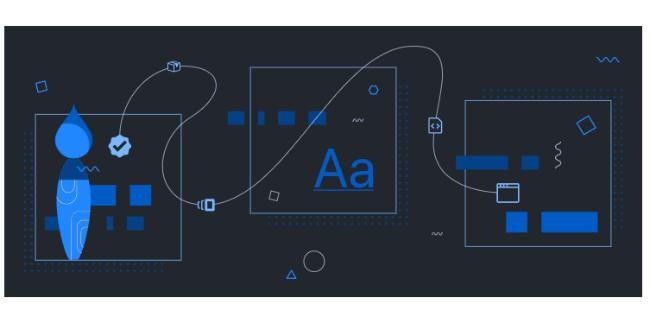
Primer CSS represents a unique approach to CSS frameworks, being the actual design system that powers GitHub’s interface. This framework combines utility classes with pre-built components, offering both flexibility and consistency.
What makes Primer particularly interesting is its real-world testing. Every component and utility class has been battle-tested in GitHub’s production environment, ensuring reliability and performance at scale. This framework is ideal for teams building developer tools or applications that need to integrate well with GitHub’s ecosystem.
Primer’s approach to design tokens and theming is sophisticated, providing fine-grained control over colors, spacing, and typography. The framework’s documentation includes detailed guidelines on accessibility and best practices, reflecting GitHub’s commitment to inclusive design.
Making the Right Choice for Your Project
While Tailwind CSS has undoubtedly transformed modern web development with its utility-first approach, the frameworks explored in this guide demonstrate that there’s no one-size-fits-all solution. Each alternative offers unique advantages that may better suit your specific project requirements, team preferences, or development constraints.
For teams working on React applications, Chakra UI provides an excellent developer experience with built-in accessibility and theming. Enterprise projects might benefit from Foundation’s extensive customization options, while developers who love Tailwind’s approach but need better performance should consider Windi CSS.
The key is understanding your project’s specific needs: Do you need rapid prototyping capabilities? Are you building a design system for a large organization? Do you require specific framework integration? Answering these questions will help guide your decision.
Ultimately, the best CSS framework is the one that helps your team build better products more efficiently. Whether you choose a utility-first approach like Tailwind, a component-based framework like Bootstrap, or something in between, the important thing is selecting a tool that aligns with your project goals and team capabilities.